


NOTE: To make changes to your dial-up connection or create a new dial-up connection you will need to have your username and password. Your username is your full email address (i.e. [email protected]).
To change your existing dial-up connection number, please follow the instructions below to locate your existing dial up connection
Go to Start>Settings>Control Panel>Network and Dial-up Connections
or Start>Settings>Network and Dial-up Connections
You should see this icon in the list of available dial-up connections. 
This icon may be entitled Unison.
Start>My network Places>View network connections
you should see the Unison Plus dial-up connection. 
In all cases double or single clicking this icon opens your internet connection dialogue box as shown below.
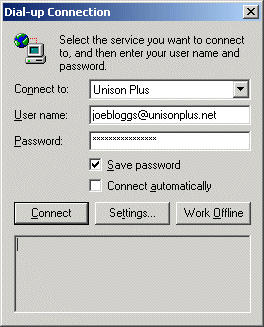
To change the telephone number, right click on the icon and choose 'Properties'.
The box below will then be displayed
Now change the number directly in the 'Phone number' field to 0845 059 0003
Now press 'OK'
Your Internet settings will now be changed.
